Overseas Developer Platform
Register Login
User Login
User Registration
User Login - Gmail Shortcut
Recover your password
Overseas Developer Platform Function Introduction
Cloud License
Add Authorization Code
Edit Authorization Code
Delete Authorization Code
SDK License
Add SDK Authorization Code
Delete SDK Authorization Code
Book Test
Add Book Test
Cost
My Order
Purchase Credit
Consumption Detail
User Onboarding
-
+
首页
Add Authorization Code
To apply for a monthly subscription authorization code,please follow the steps below •Click the“Create For Cloud License”button to enter the new authorization code page. 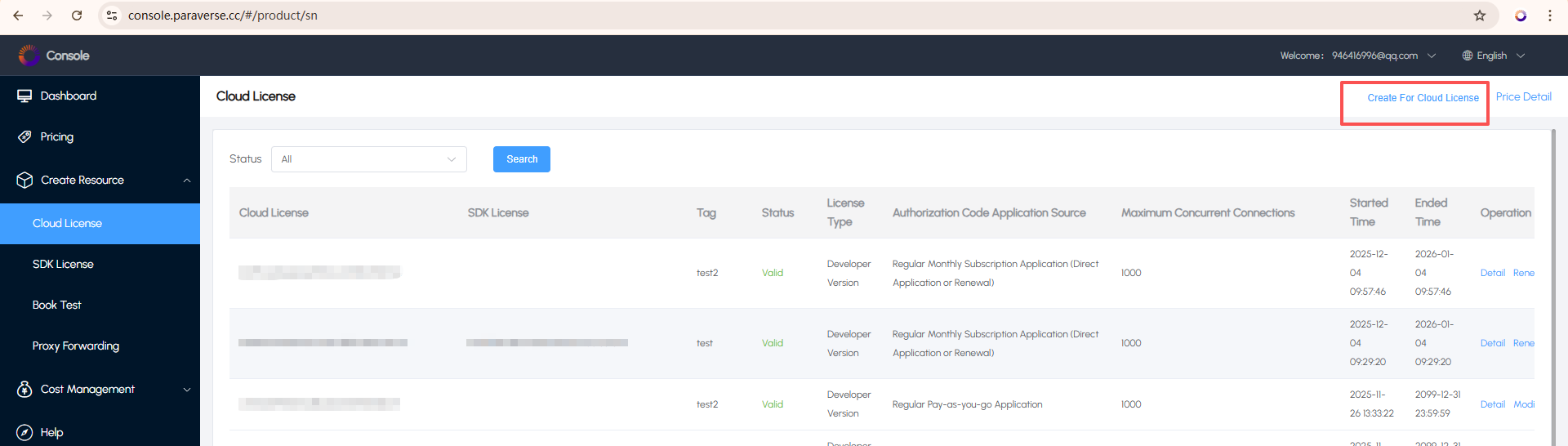 •In the authorization type,you can choose a monthly or annual subscription. 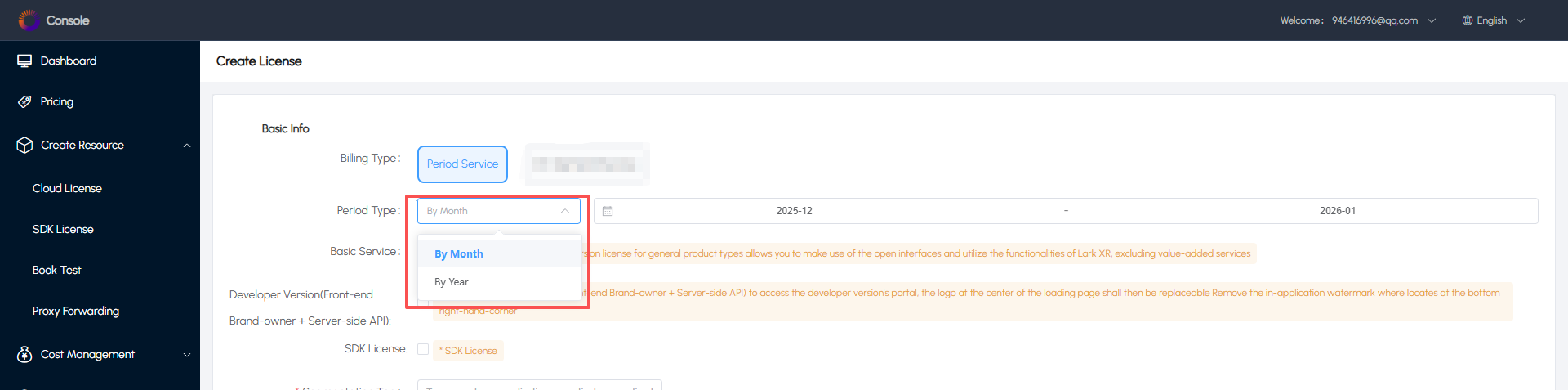 •The basic pricing details of the authorization code are shown in the figure below. 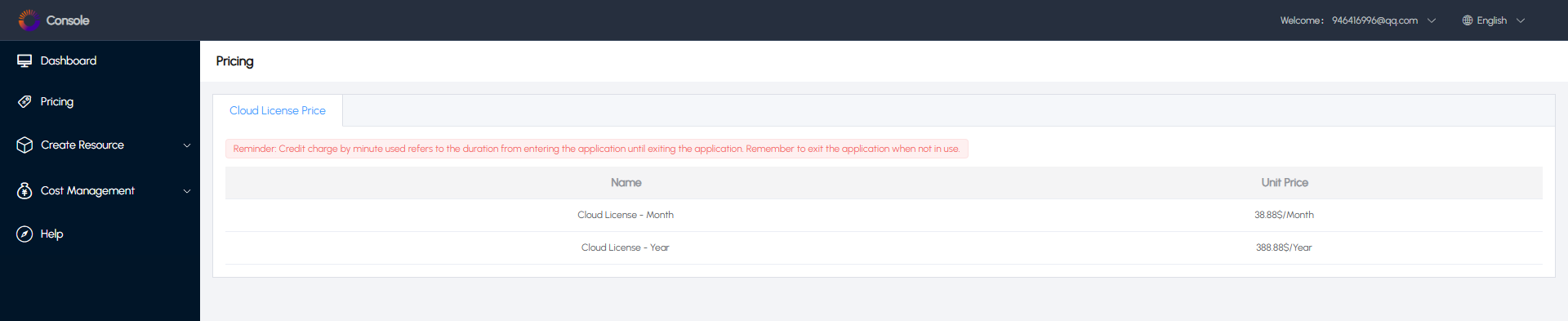 •If needed,you can additionally select the Developer Edition authorization code.After activation,you will be able to replace the startup logo and use the Developer Edition API for secondary development.The monthly subscription for the Developer Edition is an additional $20 per month or $200 per year. 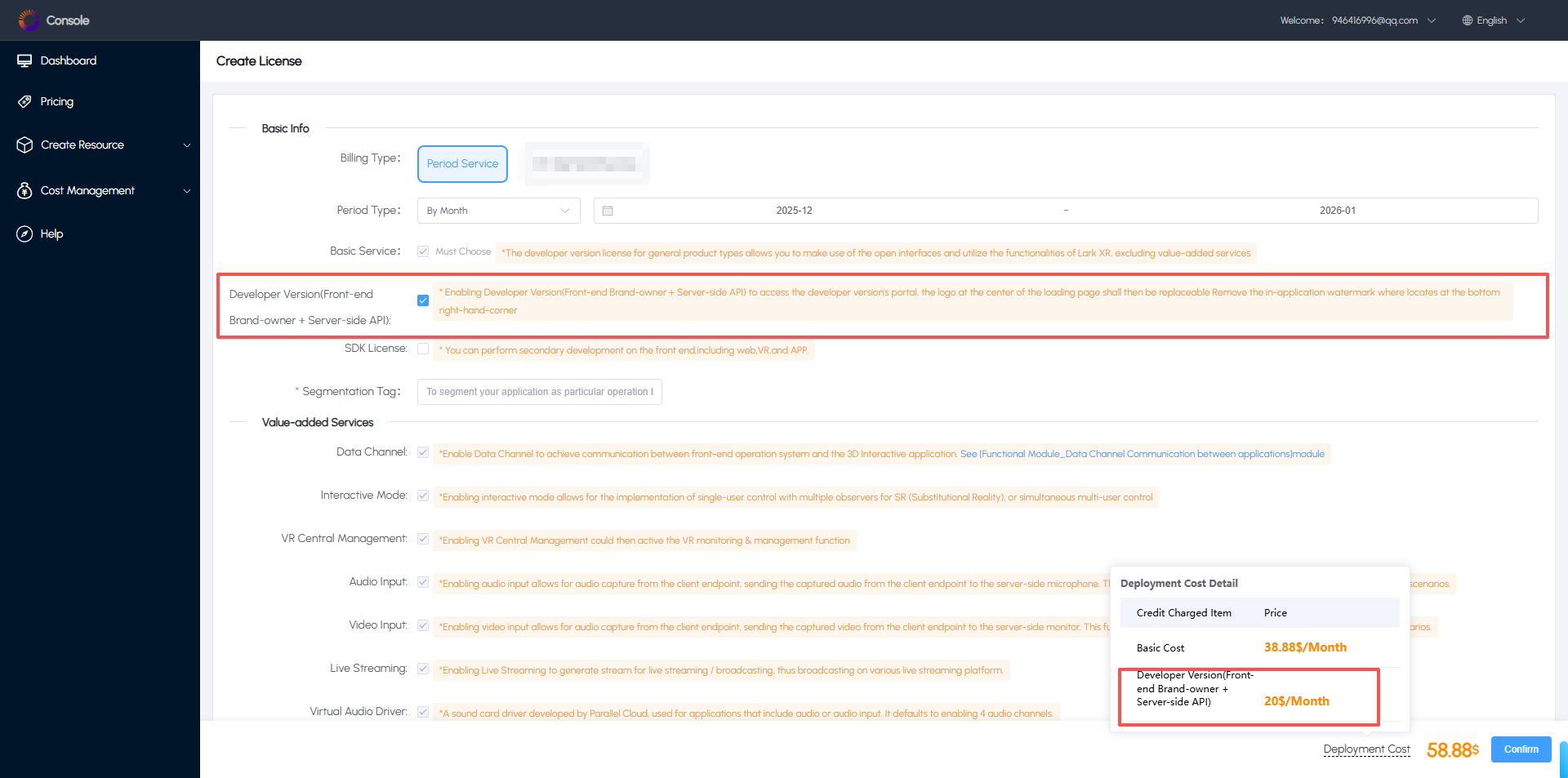 •You can also choose to select the SDK License.After activation,you will be able to use the WebSDK for secondary development.The system will provide both the regular authorization code and the SDK authorization code.If the SDK authorization code is not activated,only the regular authorization code will be provided.Please note that the regular authorization code and the SDK authorization code should be used together.The monthly subscription for the SDK License is an additional $10 per month or $100 per year.Image 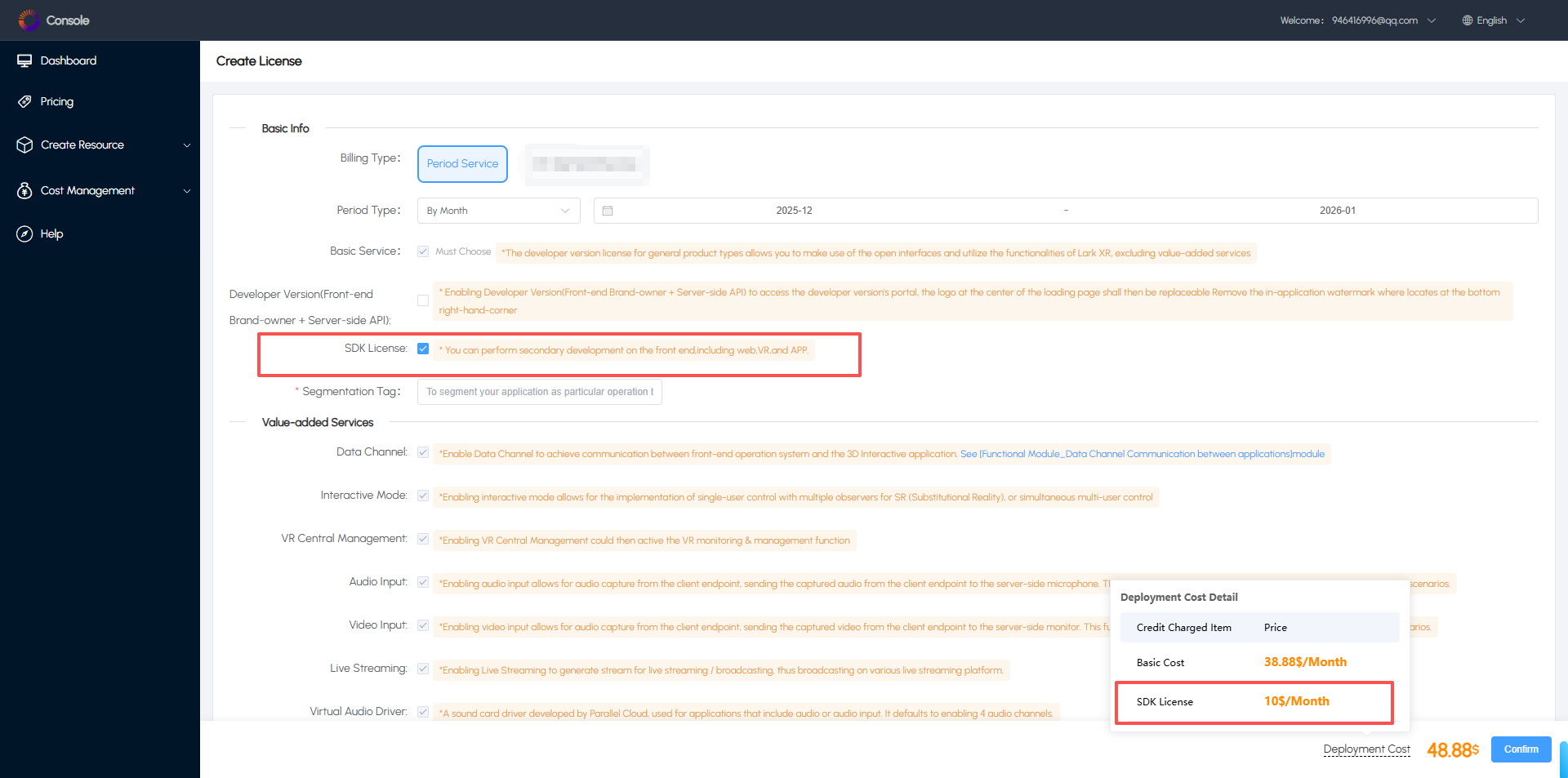 If you have any questions,please feel free to contact our customer service team at any time.
admin
2025年12月4日 14:38
转发文档
收藏文档
上一篇
下一篇
手机扫码
复制链接
手机扫一扫转发分享
复制链接
Markdown文件
Word文件
PDF文档
PDF文档(打印)
分享
链接
类型
密码
更新密码
有效期